Merchandising Teams
Create consistent product previews for catalogs, presentations, and internal reviews.
Product Mockup Automation Software
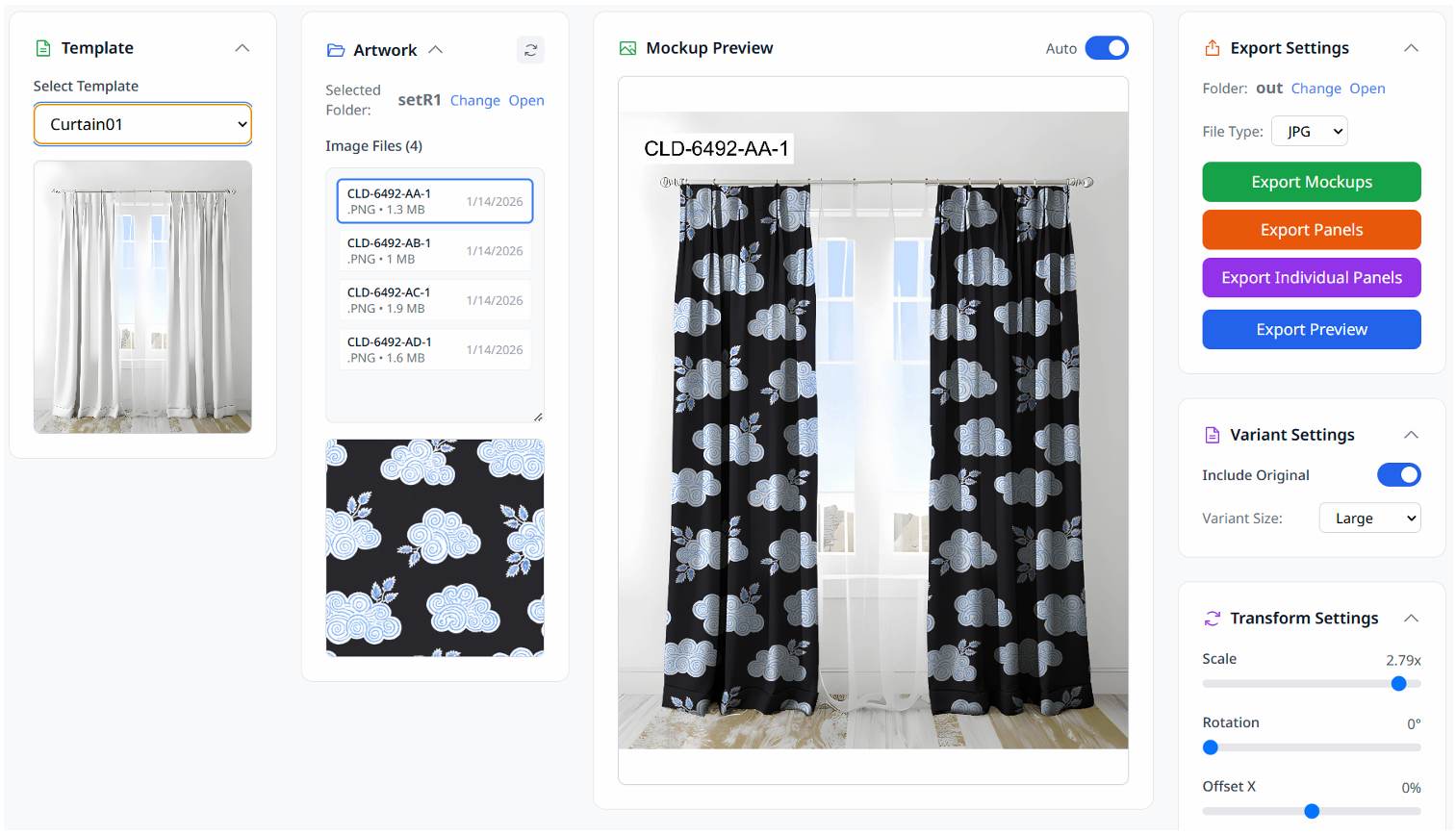
Transform textile artwork into professional, production-ready previews for apparel, home furnishings, merchandising, and sampling workflows.
Prismo is a desktop application designed to automate the creation of product mockups from artwork files. It helps teams generate consistent, high-quality visual previews without repetitive manual work.
Create consistent product previews for catalogs, presentations, and internal reviews.
Visualize print patterns across multiple products before production.
Generate approval-ready mockups quickly and accurately.
Automate large-scale mockup generation from artwork collections.
Prepare product visuals for buyers, merchandising teams, and production planning.
Create previews for curtains, upholstery, cushions, and textile products.
Generate realistic previews of textile patterns on fabrics, panels, and production samples.
Apply artwork to shirts, dresses, boxers, and other garment templates with consistent placement and presentation.
Process large collections of artwork automatically and generate mockups at scale.
Create high-resolution JPG and PNG outputs suitable for presentations, merchandising, sampling, and approvals.
Own the software permanently and operate entirely offline without recurring subscription fees.
Prismo is actively used in production environments where teams need to generate large volumes of mockups while maintaining visual consistency across merchandising and sampling workflows.
The software has been deployed across multiple client devices and has supported the generation of thousands of production-ready mockups.
Choose from predefined templates representing various products. Load the template into your workspace to define the structure of your mockup.
Import your design files (JPG, PNG, TIFF). Position and manage multiple artworks and variants on the template to create complex compositions.
Use advanced features like scaling and labeling to make precise adjustments. Preview the final image to ensure it meets your production standards.
Generate final mockup images in high-resolution JPG or PNG format. Use the batch export settings to process multiple files quickly and consistently.
See how Prismo can streamline your merchandising, sampling, and product visualization workflows.
Contact: contact@o-lap.com